¶ Installing Archipelago
Step 1: Download the newest install for archipelago from this link here, as of writing that is 0.6.3.
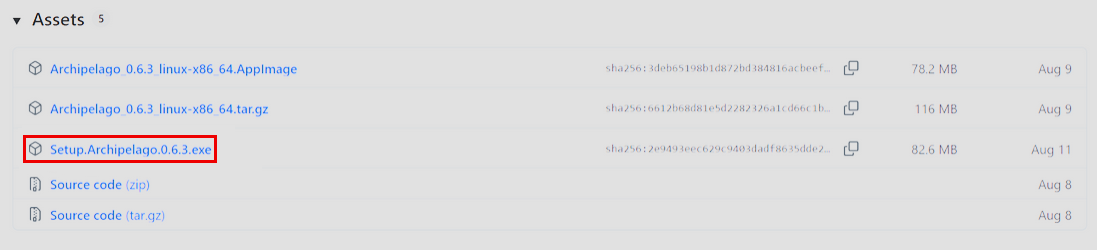
Step 2: Run the Archipelago Setup
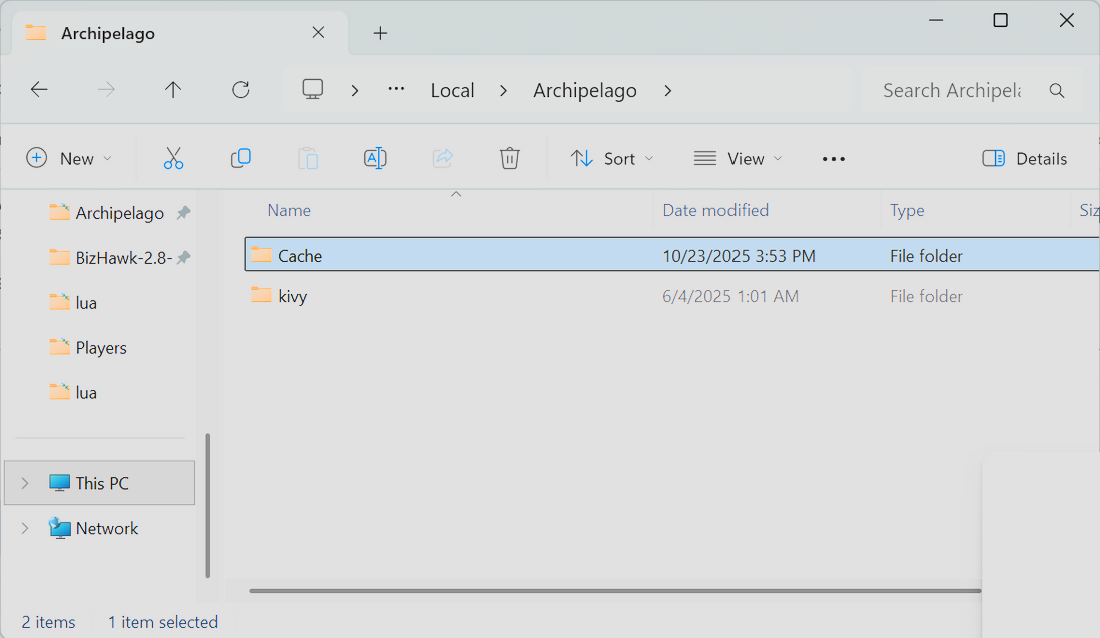
Step 3: Once completed, navigate to the following folder:
- C:\Users\[YOUR USER NAME HERE]\AppData\Local\Archipelago
Note: The AppData folder is a hidden directory. You will have to enable “Show Hidden Files and Folders” in your folder options to be able to see, and navigate, to this location on your computer.
Within the C:\Users\[YOUR USER NAME HERE]\AppData\Local\Archipelago location, make a folder called “Cache”
Step 4: Download Bizhawk 2.8.
Your file will come as a ZIP archive. Simply unpack it into the folder of your choice (but we do not recommend unpacking it directly into your Program Files or Program Files (x86) folders).
Note: Bizhawk 2.8 currently works best for LUA scripts, such as the one run by Archipelago. Other versions are not recommended.
¶ For FFR Runners
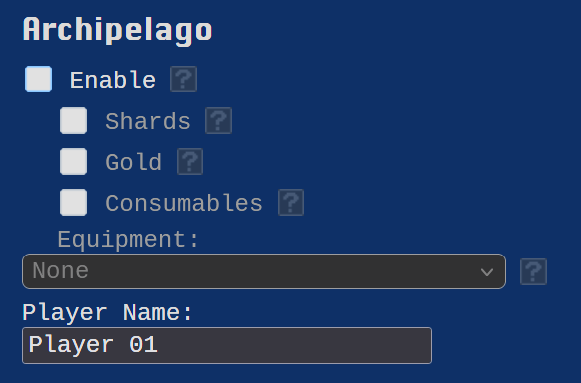
Open your flagset. If you're running a flagset from a specific tournament, you can find that event on our Tournaments and Events page. If you are playing any other flagset, make sure you turn on the Archipelago flag on the FFR website to enable full Archipelago features.
Make sure, with any flagset you're playing, change the Archipelago player name from “Player 01” to your desired username (or, in some cases, as the tournament demands it, set it to “FFR”)
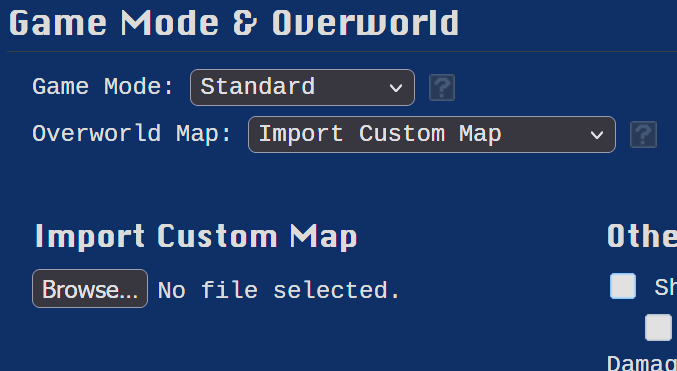
Some tournaments (such as the FFR AP Crossover events) use a custom map. If that is a flagset you are playing, make sure to upload the custom map .json provided by the tournament.
Once your rom has generated and your files (both the rom and the .yaml for Archipelago) have downloaded:
- Open Bizhawk and load the rom
- In Bizhawk, go to Tools > Lua Console
- In the Lua Console, go to Script > Open Script
- Navigate to C:\ProgramData\Archipelago\data\lua and open connector_bizhawk_generic.lua and load the file
Note: If you et an error at this point it is likely because you are running Bizhawk 2.8 for the first time. Simply close Buzhawk, then re-open and do the above process a second time. Bizhawk's lua console sometimes throws a glitch on first use. This is a known issue but usually corrects itself after that first time.
Next, open the Archipelago Launcher (this should be a shortcut on your desktop or under your Windows Start menu)
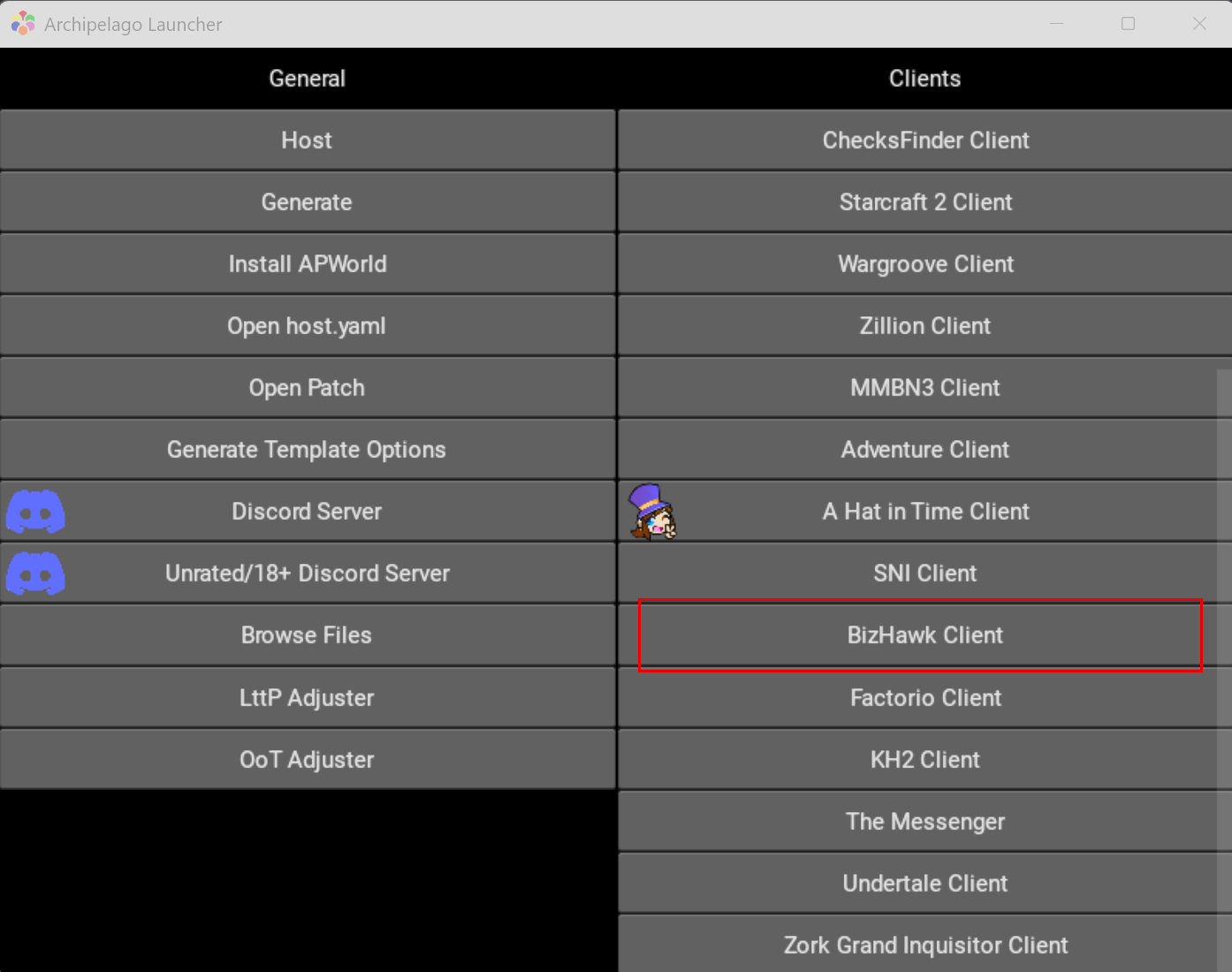
- In the app, click “Open Bizhawk Client” (you may need to scroll down to find it)
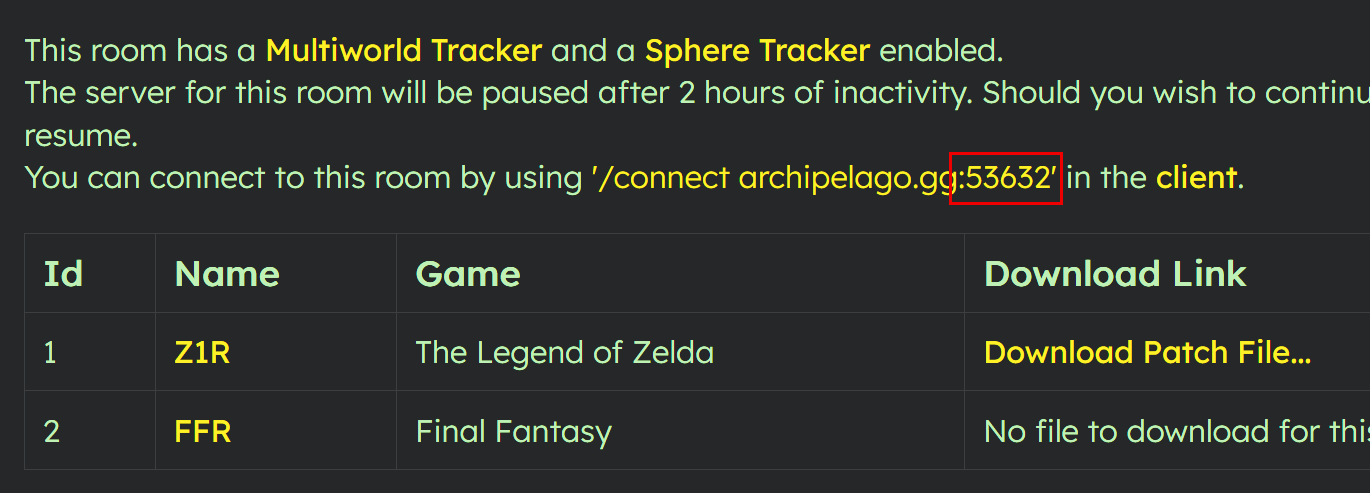
- If you are playing in a pre-generated Archipelago game, click on the room link provided by the person that created the game server to verify the port you need to connect to. This is just the five digit number shown in the /connect url, and not any of the letters or special characters before or after the five digit number. As an example:
- In the Archipelago BizHawk Client, enter the port number at the top, so the address reads “archipelago.gg:xxxxx”. As an example:
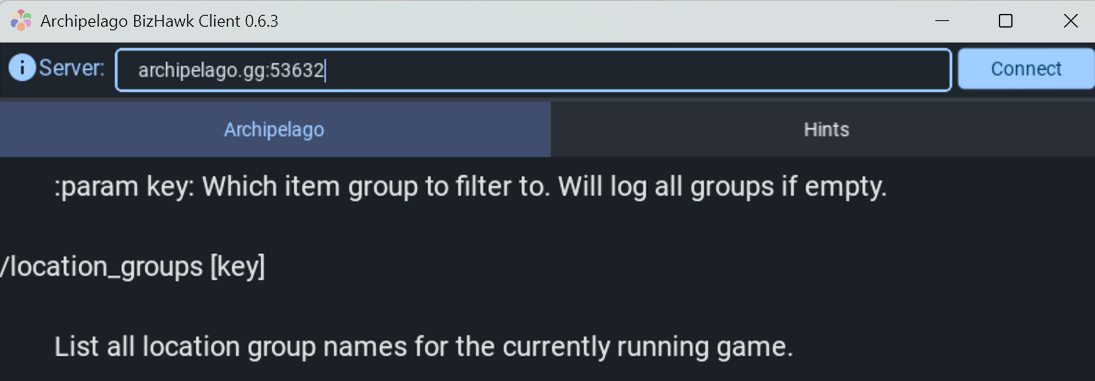
- Press “Connect”
- Enter your slot name as FFR and hit Enter
Hurray! It should now be connected.
¶ For Runners of Other Games
For most games, a patch file provided by the Archipelago room is applied to their rom, instead of (as FFR does it) generating your rom and .yaml ahead of time. As such, the instructions for running (almost) any other game are different:
Once you have been given a room, download the patch file:
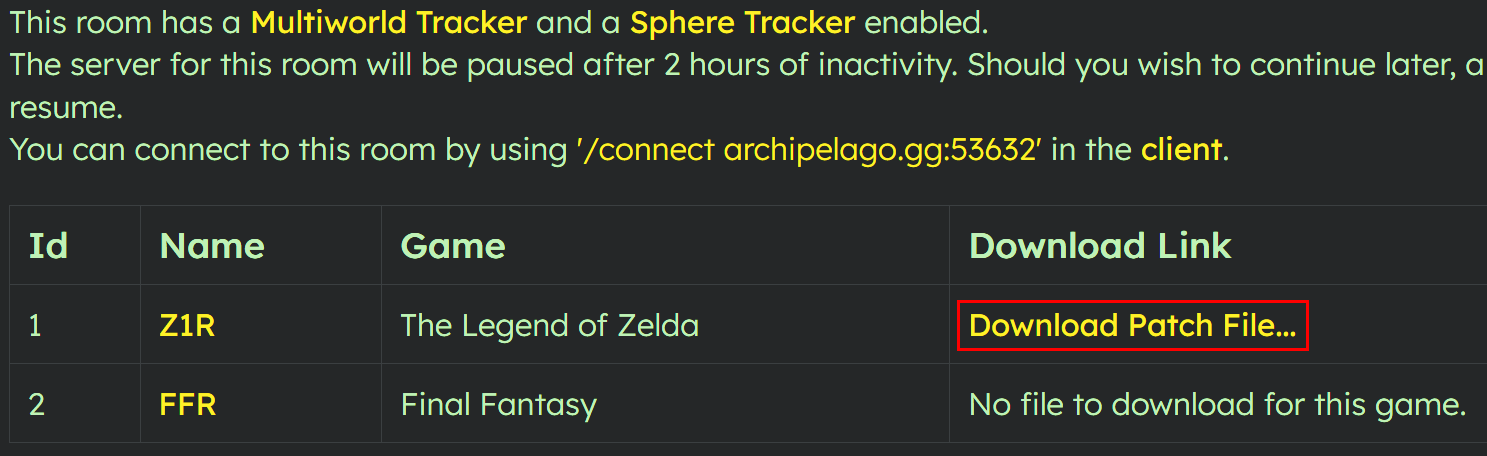
Open the Archipelago Launcher and click “Open Patch”
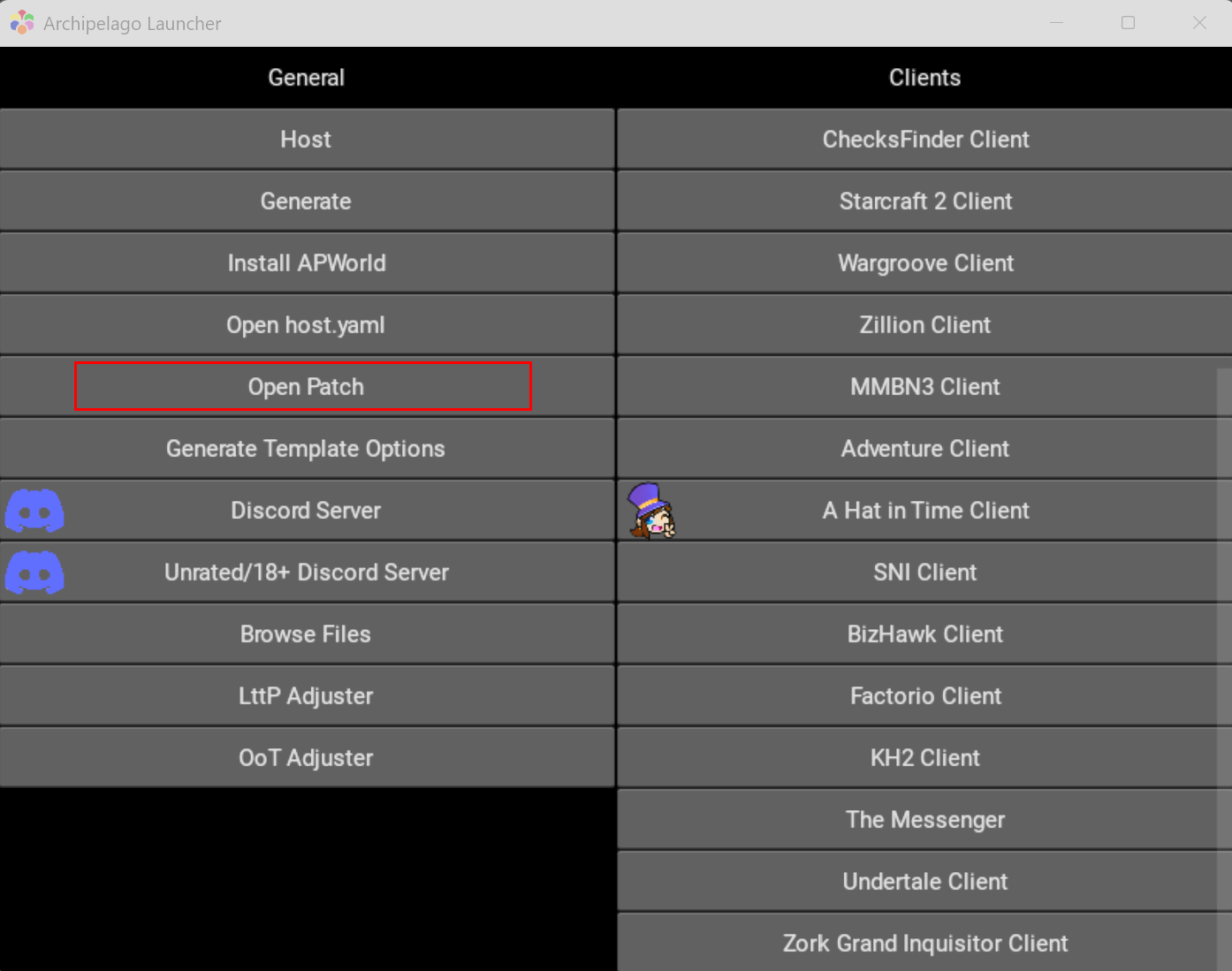
- If this is the first time you are running a patch file for a specific game, it will ask you for your unmodified rom. Each time you run a new game for the first time, it will ask for that unmodified rom. So, for instance, if you are running Z1R and you have never played Z1R through Archipelago before, it will ask for your unmodified Z1R rom. The next time you play Z1R, though, it will use your unmodified rom for that (and all future) sessions.
- Once the patch has completed, it will place the patched rom in the same directory as the patch file (this is usually your Downloads folder) and automatically start the Archipelago Z1R Client with the correct server address.
- It will also attempt to start the rom with your default emulator. If you don’t have a default emulator, it will ask you to choose one. You can either cancel out, or go to “choose another app” and find bizhawk. If it opens the rom in the wrong emulator, you can simply close that emulator and then open Bizhawk instead.
- Open Bizhawk and open the rom.
- Go to Tools > Lua Console
- In the Lua Console, go to Script > Open Script
- For many games, navigate to C:\ProgramData\Archipelago\data\lua and open the connector file associated with your game (i.e. for Z1R, connector_tloz.lua)
- For SNES games, navigate to C:\ProgramDada\Archipelago\SNI\lua and open the Connector.lua file. This works for all SNES games (unless otherwise dictated by your Archipelago implementation).
Note: If you et an error at this point it is likely because you are running Bizhawk 2.8 for the first time. Simply close Buzhawk, then re-open and do the above process a second time. Bizhawk's lua console sometimes throws a glitch on first use. This is a known issue but usually corrects itself after that first time.
- Once the script is running, it should automatically be detected in the Z1 client and connect to the server.
Hurray! You should now be ready to play!
¶ Generating Archipelago Games
To start your own Archipelago room with FFR included in the game, first the FFR runner must roll a seed. Once the seed is generated, it will give them a rom and a .yaml. Combine that .yaml with the any other yamls provided by the other players into a .zip file. The name for this .zip doesn’t matter.
- If you haven't made a .zip before (and are using Windows as your operating system), simply select all the files you want to include in the .zip then right-click the files and select “Compress To…” and from that context menu, select “ZIP File”
- Go to the Archipelago Generate Game page
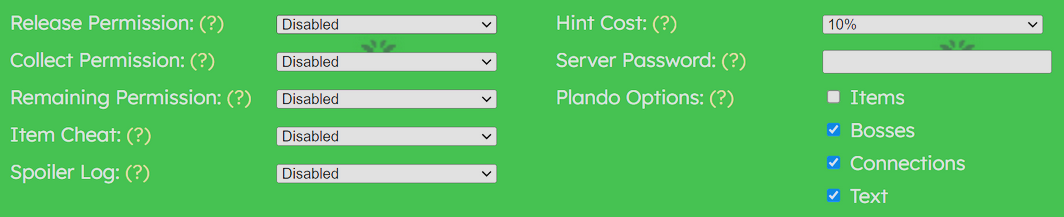
- When playing in a tournament game, make sure your room settings match those of the tournament. For example, the Z1R tournament uses the following settings:
- Click “Upload” and give it the .zip file with the collected yamls.
- Once it finishes, you should see the “Seed Info” page.
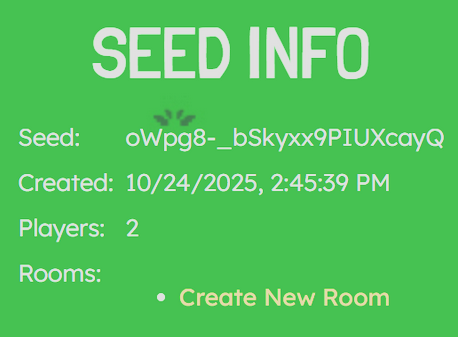
- Click “Create New Room”
Congrats! You have created the room. Copy the URL at the top and share with your teammate(s).
¶ If You Are Generating a Competitive Race
Send a link to the “Seed Info" room you created to one of the teams, then
- Click on the “Seed” link at the top to return to the “Seed Info" screen.
- Click “Create New Room” again. As before, copy the url for this new room send that to the next team.
- If you have multiple teams (more than two) in the game, repeat the process until all teams have their own rooms.
This ensures that both (or all) teams are running identically generated seeds.